Small tasks. A little easier.157 tools · No account required

Find your next tool

Search all 157 tools and their practical guides.

Image

Make a round profile picture with transparent corners

Crop a square around the center of a photo and export a circle in a PNG.

ERITHRA editorial2 min read
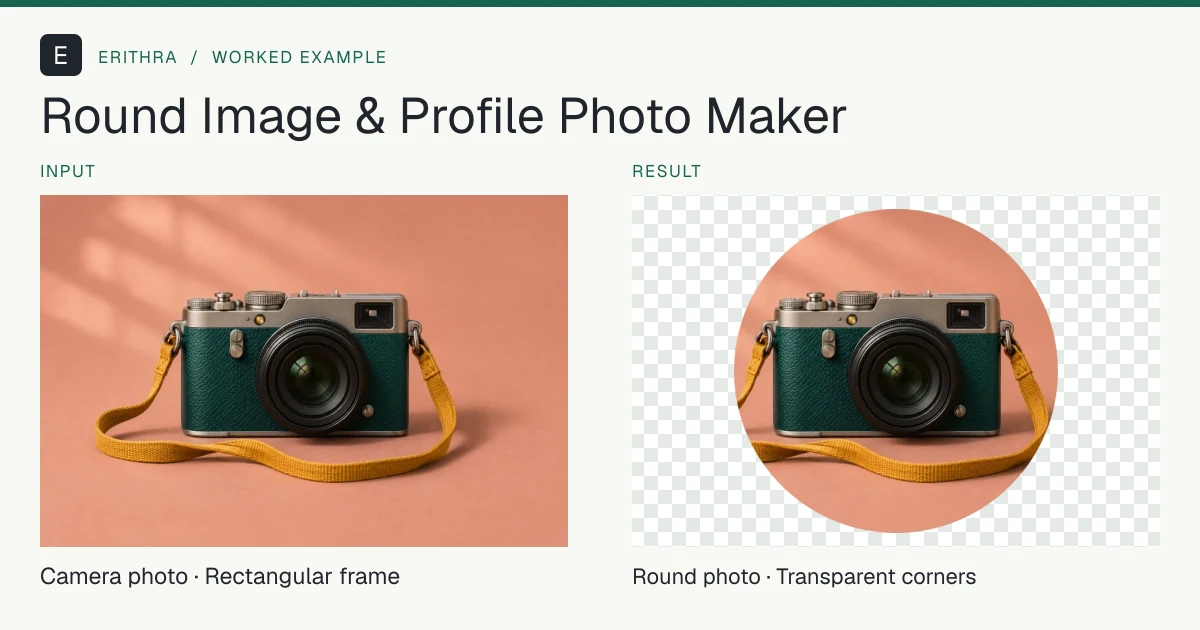
Make a round profile picture with transparent corners example showing Camera photo · Rectangular frame becoming Round photo · Transparent corners.
Make a round profile picture with transparent corners exampleA centered circular crop makes an avatar or badge with transparent corners.

Try it with a small example

Crop a square around the center of a photo and export a circle in a PNG. Open the workspace.

A 900 × 600 photo produces a 600 × 600 PNG. If the subject is off-center, use the Image Cropper first to adjust the framing.

Follow these steps

  1. Choose a photo with your face or subject near the center.
  2. Create a preview and inspect the circle against the checkerboard.
  3. Save the PNG and check how the destination displays it.

Check the export

The output is a rectangular PNG file with transparent corners. Some profile sites apply their own crop or background.

Imageround image

Put it into practice

Keep reading