Small tasks. A little easier.157 tools · No account required

Find your next tool

Search all 157 tools and their practical guides.

Developer

Convert a CSV into Excel without losing leading zeros

Turn a UTF-8 CSV into an XLSX sheet while preserving text values.

ERITHRA editorial2 min read
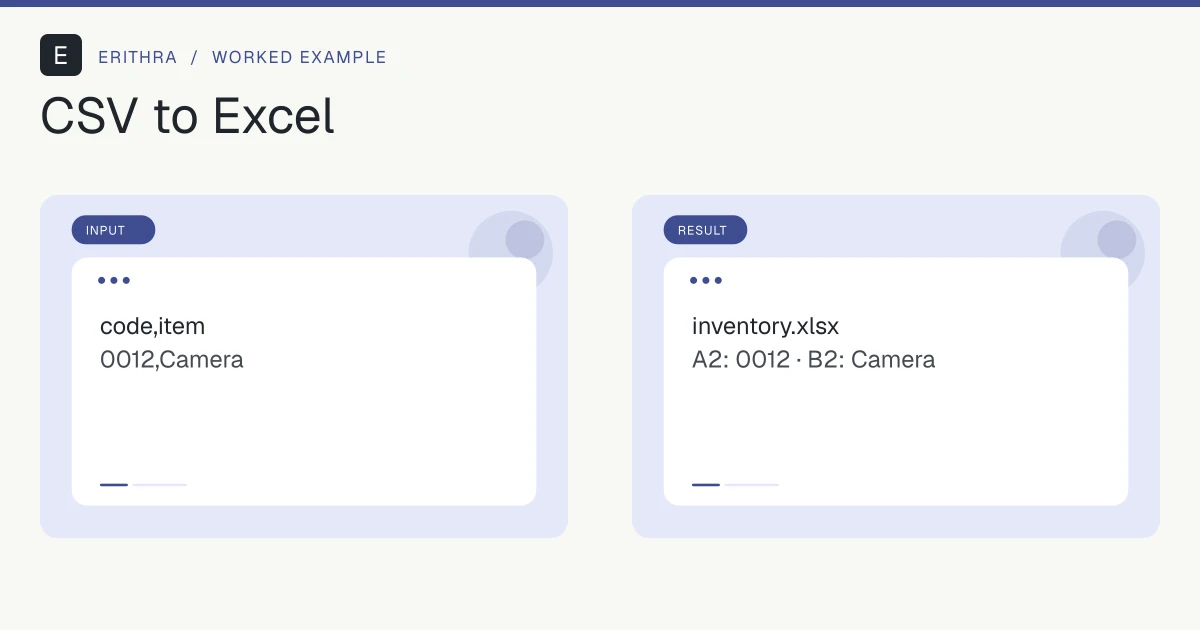
Convert a CSV into Excel without losing leading zeros example showing code,item · 0012,Camera becoming inventory.xlsx · A2: 0012 · B2: Camera.
Convert a CSV into Excel without losing leading zeros exampleThe workbook preserves text such as product codes with leading zeros.

Try it with a small example

Turn a UTF-8 CSV into an XLSX sheet while preserving text values. Open the workspace.

Try a row with a postal code such as 00123. It stays text so the initial zeros are visible in the workbook.

Follow these steps

  1. Choose a comma-separated file and check its row preview.
  2. Convert the file to an XLSX workbook.
  3. Open the download and verify that identifiers and column names were preserved.

Check the export

CSV values are stored as text. Convert columns to numbers in your spreadsheet when you need calculations.

Developercsv to excel

Put it into practice

Keep reading